
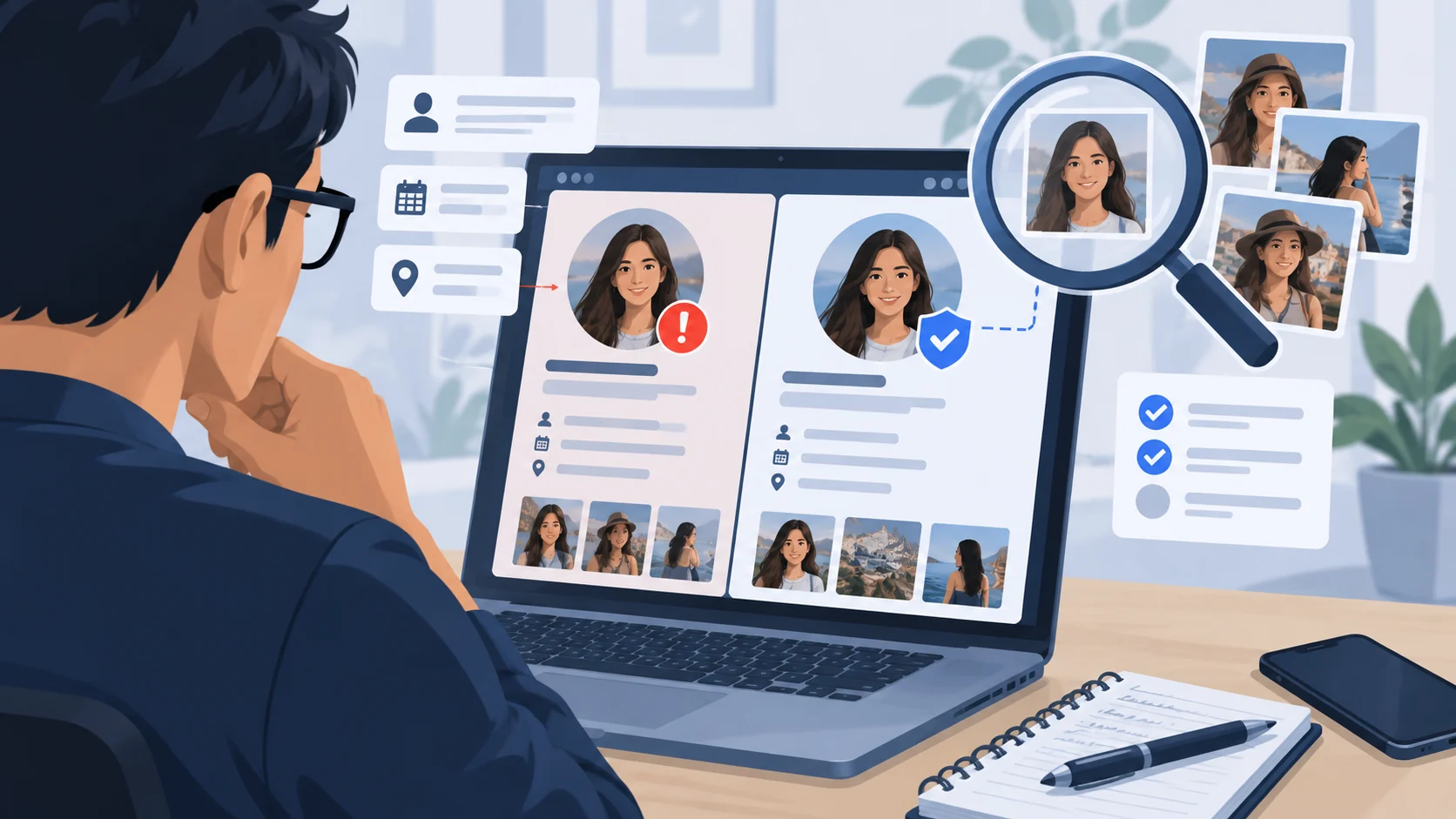
A Facebook or Instagram profile can look convincing without proving who operates it. A real photograph may be copied, a real account may be compromised, and a business logo can be duplicated. The useful approach is to test the account's claims through channels that the account does not control, then assess the action it wants you to take.
ScamMark does not log in to Facebook or Instagram, scrape profiles, look up private account histories, or verify usernames through Meta's systems. This is an independent, user-guided assessment, not a verdict on any named person or company.
First: what exactly is the profile claiming?
Identify whether this is a personal account, a business or brand Page, a creator account, a recruiter, a marketplace seller, or someone claiming to be a friend. Make a note of the exact username and profile URL for your own records, alongside the claim or request that brought the profile to your attention. Do not paste another person's private data into ScamMark.
There are several materially different cases:
- Copycat account: Someone creates a separate account using another person's name, photographs or branding. The real person's own account might be untouched.
- Compromised account: A real, established profile sends unfamiliar links or requests because someone else obtained access. History, mutual friends and an old creation date do not rule this out.
- Misleading business account: A Page may copy a retailer's logo, announce fictitious discounts or claim to be official support while sending visitors to an unrelated shop or payment destination.
- Deceptive relationship or opportunity: An account may cultivate familiarity over time before presenting a job, investment, romantic emergency or payment request.
The same account can combine several patterns. Focus on the claimed identity and the requested action rather than assigning a label based on appearance.
Six independent checks before you respond
1. Compare exact identity details—not just the display name
Examine the full username, account URL, spelling, profile biography and claimed relationship to a real organization or person. Look for near-identical handles, unexpected punctuation, links to domains unrelated to the claimed brand, or duplicate profiles. A name mismatch is a reason to investigate, not a conclusive finding.
If the account claims to be a friend, contact that person using a number or account you already used before the suspicious interaction. For a business, start from its independently located official website and follow its established social links; do not use links in the suspicious account to validate the suspicious account.
2. Check images and history without overinterpreting them
Reverse-image-searching a public profile photograph may reveal that the same image is used under different names. Duplicated text, copied product imagery, implausible changes of identity and inconsistent old posts can also justify scrutiny. But public photographs may legitimately be shared, stock imagery may be licensed, and innocent accounts can have few posts or followers.
New accounts are not automatically fraudulent. Old accounts are not automatically reliable. Follower counts, engagement and a verification badge are signals about the platform account—not a guarantee about a particular offer, payment request or message. Even a genuine account can be misused after a takeover.
3. Verify a claimed business or professional affiliation elsewhere
If a profile says it represents a company, look up its official site, published contact details and relevant independent business records. Contact the company through those details and ask whether it controls the exact account or employs the claimed recruiter. A plausible company name, invoice, badge or professional headshot is not independent confirmation.
For a seller or shop, check the actual checkout domain, returns policy, delivery promises and available buyer protections. A Facebook or Instagram Page that advertises a legitimate brand can still direct buyers to an unrelated payment destination. Use the online-store verification guide or seller checklist for the transaction-specific steps.
4. Inspect the conversation and the next request
Ask what the account wants: conversation, personal documents, a verification code, urgent payment, account access, a deposit, a recovery phrase, a link click or a move to a new app. Moving to WhatsApp or Telegram is not itself proof of wrongdoing—many legitimate people and businesses use them. What matters is whether the move avoids ordinary verification or payment protections and increases secrecy or pressure.
Examples needing extra care:
- Romance: Rapid intimacy followed by travel, medical or investment payments; see romance-scam verification.
- Recruitment: A job offer that requires a deposit, task unlock fee or transfer through your own bank account; see job-offer guidance.
- Investment: Promises of guaranteed returns and private wallets or unfamiliar trading portals; see investment warning signs.
- Shopping: A supposed retailer demands gift cards, crypto, direct transfers or off-platform settlement; see marketplace scams.
- Account security: A stranger or apparent friend asks for an OTP, login link or remote access to “fix” your account; see account takeover.
5. Check links without assuming the profile is genuine
A social-media account can include links to phishing pages, counterfeit stores or payment sites. If you need a technical check of a public website domain or URL, enter it into ScamMark's website checker. For suspicious message wording, use the browser-side message analyzer. Neither tool authenticates a Facebook or Instagram account. Never paste passwords, one-time codes, private access links or identity documents into the checker.
For a retailer, compare the site's precise domain with the brand's independently located official domain. HTTPS and a polished website design do not establish business identity or delivery reliability.
6. Decide what is still unknown and stop risky interactions
If you cannot independently verify the claimed identity, leave the transaction or conversation on hold. Do not respond to pressure by sending money, codes, documents or account access. If you have strong evidence of impersonation or harmful conduct, record the URL and relevant dates, use the platform's reporting mechanism, and avoid publicly accusing an identifiable person based only on superficial signals.
Reporting a suspicious profile on Facebook or Instagram
Report within the platform; do not send identification documents to someone who contacted you in a message. Interfaces vary by device, language, account type and app version, so follow the labels shown in your own app.
Facebook: Open the relevant profile or Page, use its options menu, and choose the reporting/support option. Select the reason that describes the behavior (for example, pretending to be another person or business) and follow the prompts. See Facebook's official impersonation guidance. If an impersonator uses your identity, follow the additional path for the affected person or their authorized representative when offered.
Instagram: Open the profile, use the menu/options control, select Report, then the relevant impersonation or scam reason and follow the prompts. For detailed current choices or an alternate reporting form, use the official Instagram Help Center and search for Report an account that's impersonating you on Instagram. The reporting pathway for an impersonated person can differ from ordinary spam or fraud reporting.
Preserve an accurate profile link, usernames, message dates and transaction records before blocking, where safe and lawful. Reporting is not a guarantee that an account will be removed. Platforms evaluate submitted information under their policies; ScamMark does not submit reports for visitors.
If you already interacted, shared access or paid
- Only viewed a profile or received a request? Avoid further engagement, block or report when appropriate, and check account privacy settings. Receiving a message alone is not proof of account compromise.
- Accepted a request or moved the conversation to another app? Stop sharing personal information; review privacy visibility, block suspicious contacts and warn mutual contacts if a copycat is using your identity.
- Shared login credentials or a one-time code? Go directly to the official Facebook/Instagram app or website, change compromised passwords, secure your recovery email, enable two-factor authentication, review sessions/devices and remove unknown access. If you cannot access your Facebook account, use Facebook's account-recovery guidance.
- Shared identification documents or financial details? Contact the relevant institution promptly, follow local identity-theft precautions and monitor affected accounts. Do not upload ID to an unverified third-party “recovery” site.
- Sent money or gave payment details? Contact your bank, card issuer, payment provider or marketplace immediately to request available fraud support, dispute or reversal options. Preserve transaction details; recovery is not guaranteed. Use ScamMark's immediate recovery steps and sent-money guide.
- Allowed device access or installed software? Disconnect suspicious remote sessions, use a trusted device to secure affected accounts and seek trusted technical help; see recovery guidance.
For reporting beyond the platform, use ScamMark's global reporting pathways. Procedures and protections differ by jurisdiction.
Why this is a durable issue, not merely a news story
In its 13 October 2026 announcement, Meta said it removed more than 3.7 million Facebook and Instagram accounts, Pages and groups linked to a coordinated disruption of scam networks operating in West Africa, alongside action by law-enforcement and technology partners. Meta described impersonation, romance, investment, employment, non-delivery and recovery fraud among the patterns associated with the operation. These are Meta-reported enforcement actions in a particular operation, not a global count of fake profiles, unique fraud victims or independently verified ScamMark findings.
The enduring lesson is independent verification: copied identities and familiar branding can move across platforms and scam types. The correct response is to question the requested action, verify the identity elsewhere and protect accounts and payments where needed.
Sources and references
These sources support the factual guidance and analysis on this page. For reporting, legal, financial or provider-specific procedures, follow the linked organization’s current instructions.
- Leading Tech Companies Join Global Law Enforcement in Major Crackdown on West African Scam Networks (13 October 2026)Meta Newsroom
- Report a Facebook profile or Page pretending to be you or someone elseFacebook Help Center
- Instagram Help Center — account impersonation and reportingInstagram / Meta Help Center
- Recover a hacked Facebook accountFacebook Help Center
- Did a new online friend ask for money?U.S. Federal Trade Commission
- What are the signs of a scam?U.S. Federal Trade Commission
- What to do if you were scammedU.S. Federal Trade Commission